
Overview:
Azure Functions is a serverless solution that allows you to write less code, maintain less infrastructure, and save on costs. Instead of worrying about deploying and maintaining servers, the cloud infrastructure provides all the up-to-date resources needed to keep your applications running.
You focus on the code that matters most to you, in the most productive language for you, and Azure Functions handles the rest.
For the best experience with the Functions documentation, choose your preferred development language from the list of native Functions languages at the top of the article.
Lets understand scenarios, development and hosting options for Azure Functions.
Scenarios
Functions provides a comprehensive set of event-driven triggers and bindings that connect your functions to other services without having to write extra code.
The following are a common, but by no means exhaustive, set of integrated scenarios that feature Functions.
| If you want to… | then… |
| Process file uploads | Run code when a file is uploaded or changed in blob storage. |
| Process data in real time | Capture and transform data from event and IoT source streams on the way to storage. |
| Infer on data models | Pull text from a queue and present it to various AI services for analysis and classification. |
| Run scheduled task | Execute data clean-up code on pre-defined timed intervals. |
| Build a scalable web API | Implement a set of REST endpoints for your web applications using HTTP triggers. |
| Build a serverless workflow | Create an event-driven workflow from a series of functions using Durable Functions. |
| Respond to database changes | Run custom logic when a document is created or updated in Azure Cosmos DB. |
| Create reliable message systems | Process message queues using Queue Storage, Service Bus, or Event Hubs. |
Development lifecycle
With Functions, you write your function code in your preferred language using your favorite development tools and then deploy your code to the Azure cloud. Functions provides native support for developing in C#, Java, JavaScript, PowerShell, Python, plus the ability to use more languages, such as Rust and Go.
Functions integrates directly with Visual Studio, Visual Studio Code, Maven, and other popular development tools to enable seamless debugging and deployments.
Functions also integrates with Azure Monitor and Azure Application Insights to provide comprehensive runtime telemetry and analysis of your functions in the cloud.
Hosting options
Functions provides a variety hosting options for your business needs and application workload. Event-driven scaling hosting options range from fully serverless, where you only pay for execution time (Consumption plan), to always warm instances kept ready for fastest response times (Premium plan).
When you have excess App Service hosting resources, you can host your functions in an existing App Service plan. This kind of Dedicated hosting plan is also a good choice when you need predictable scaling behaviors and costs from your functions.
If you want complete control over your functions runtime environment and dependencies, you can even deploy your functions in containers that you can fully customize. Your custom containers can be hosted by Functions, deployed as part of a microservices architecture in Azure Container Apps, or even self-hosted in Kubernetes.
Azure Functions Scenarios
We often build systems to react to a series of critical events. Whether you’re building a web API, responding to database changes, processing event streams or messages, Azure Functions can be used to implement them.
In many cases, a function integrates with an array of cloud services to provide feature-rich implementations. The following are a common (but by no means exhaustive) set of scenarios for Azure Functions.
1. Process file uploads
2. Real-time stream and event processing
3. Machine learning and AI
4. Run scheduled tasks
Process file uploads
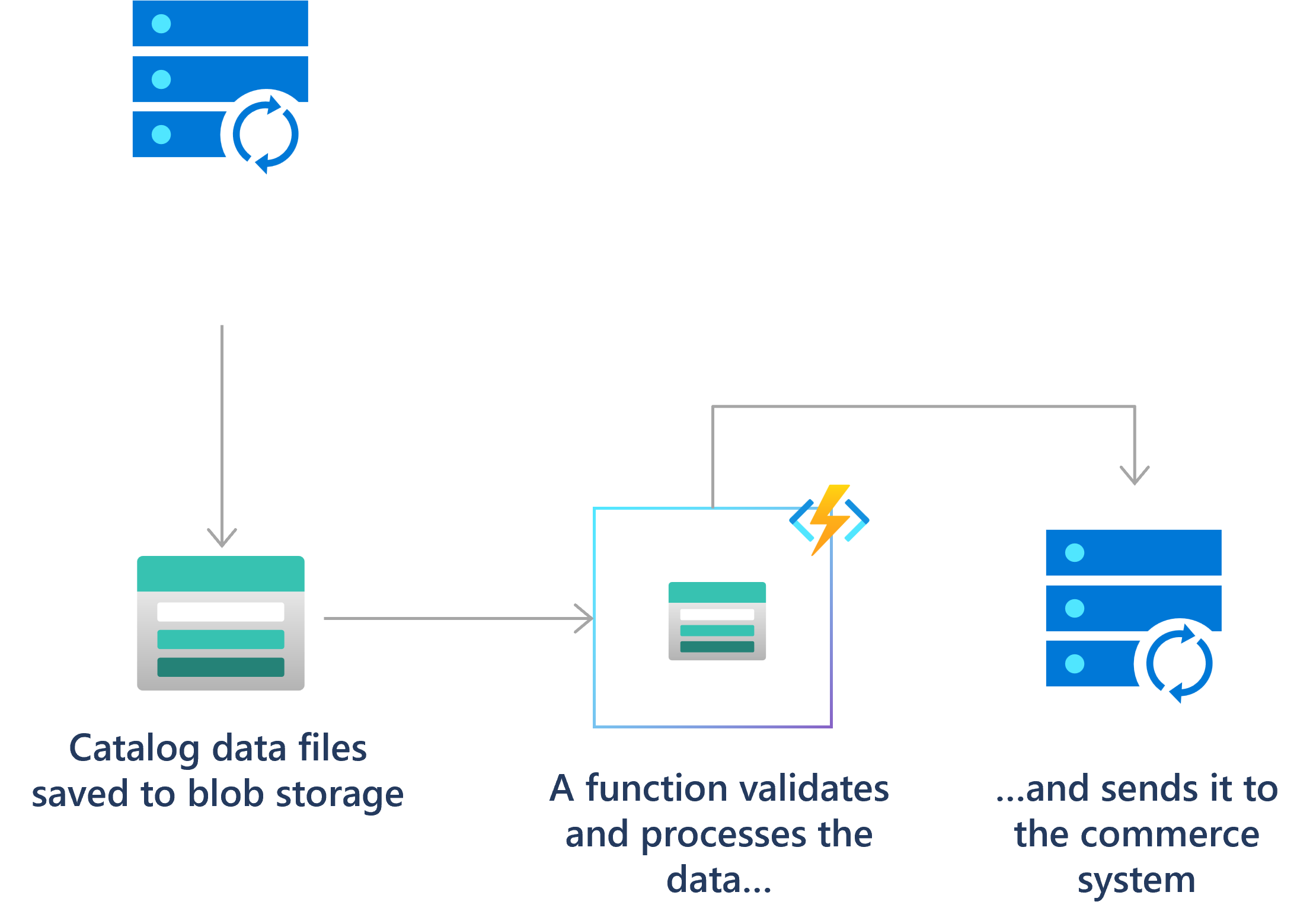
There are several ways to use functions to process files into or out of a blob storage container. To learn more about options for triggering on a blob container, see Working with blobs in the best practices documentation.
For example, in a retail solution, a partner system can submit product catalog information as files into blob storage. You can use a blob triggered function to validate, transform, and process the files into the main system as they’re uploaded.

Real-time stream and event processing
So much telemetry is generated and collected from cloud applications, IoT devices, and networking devices. Azure Functions can process that data in near real-time as the hot path, then store it in Azure Cosmos DB for use in an analytics dashboard.
Your functions can also use low-latency event triggers, like Event Grid, and real-time outputs like SignalR to process data in near-real-time.

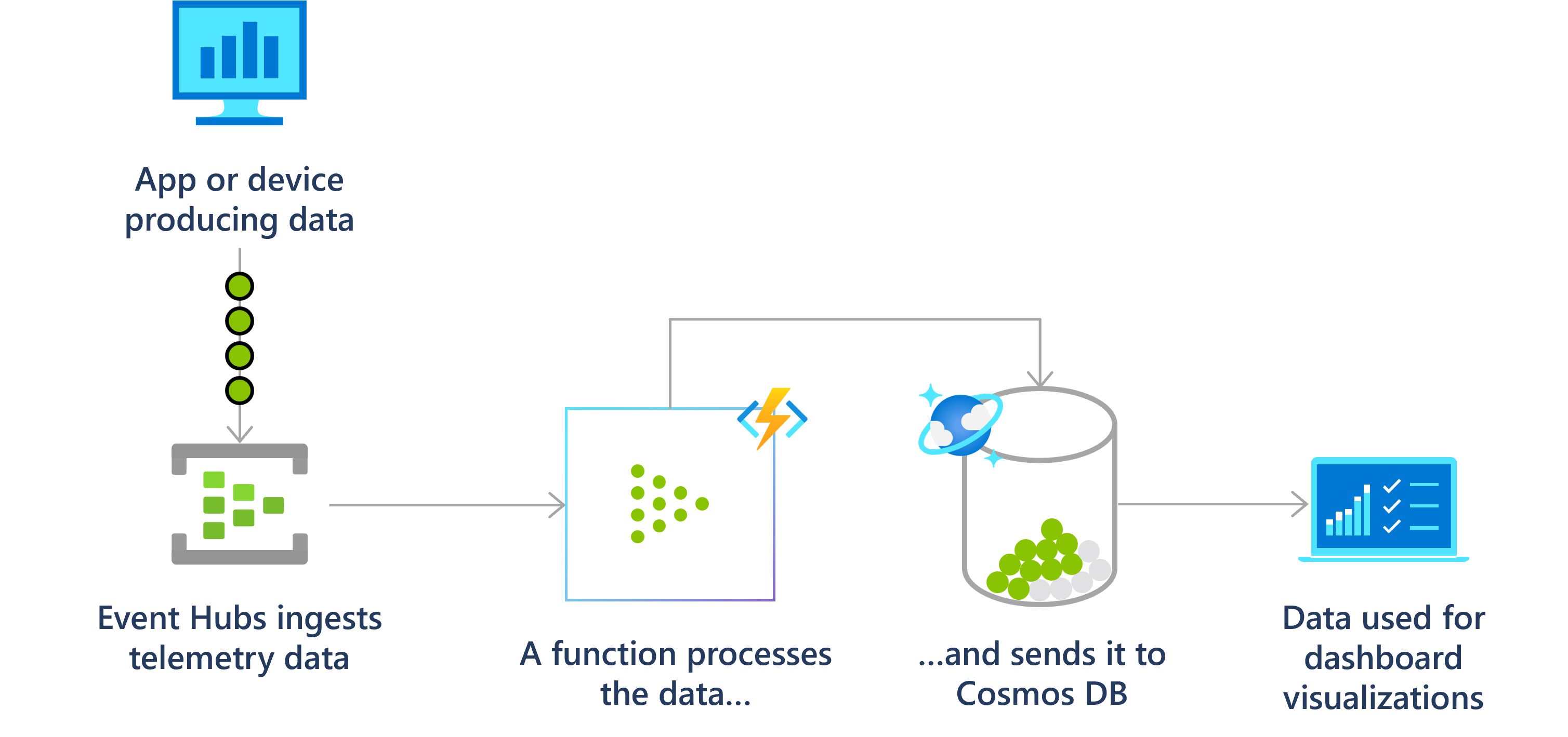
For example, using the event hubs trigger to read from an event hub and the output binding to write to an event hub after debatching and transforming the events:
Machine learning and AI
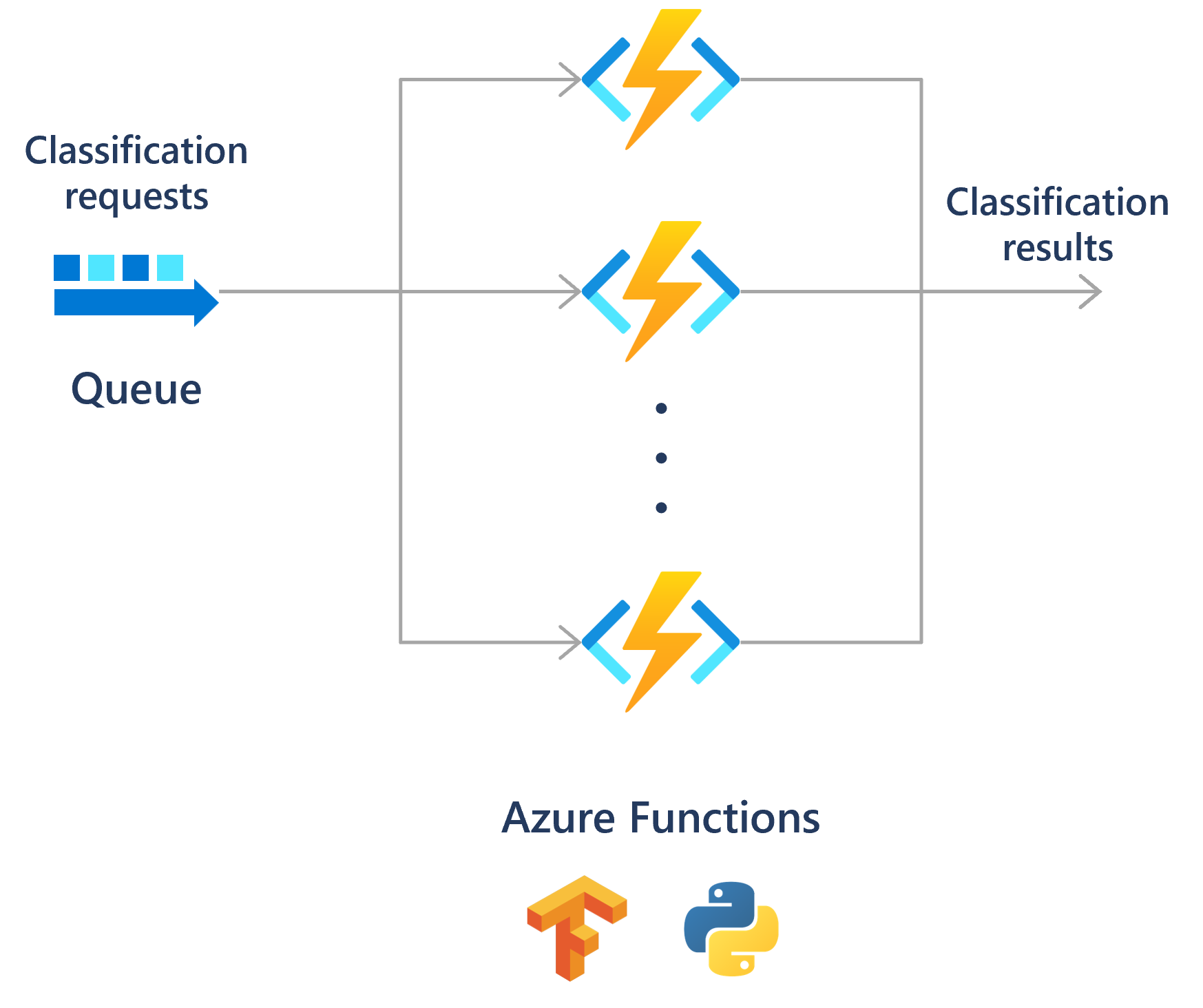
Besides data processing, Azure Functions can be used to infer on models.
For example, a function that calls a TensorFlow model or submits it to Azure AI services can process and classify a stream of images.
Functions can also connect to other services to help process data and perform other AI-related tasks, like text summarization.

Run scheduled tasks
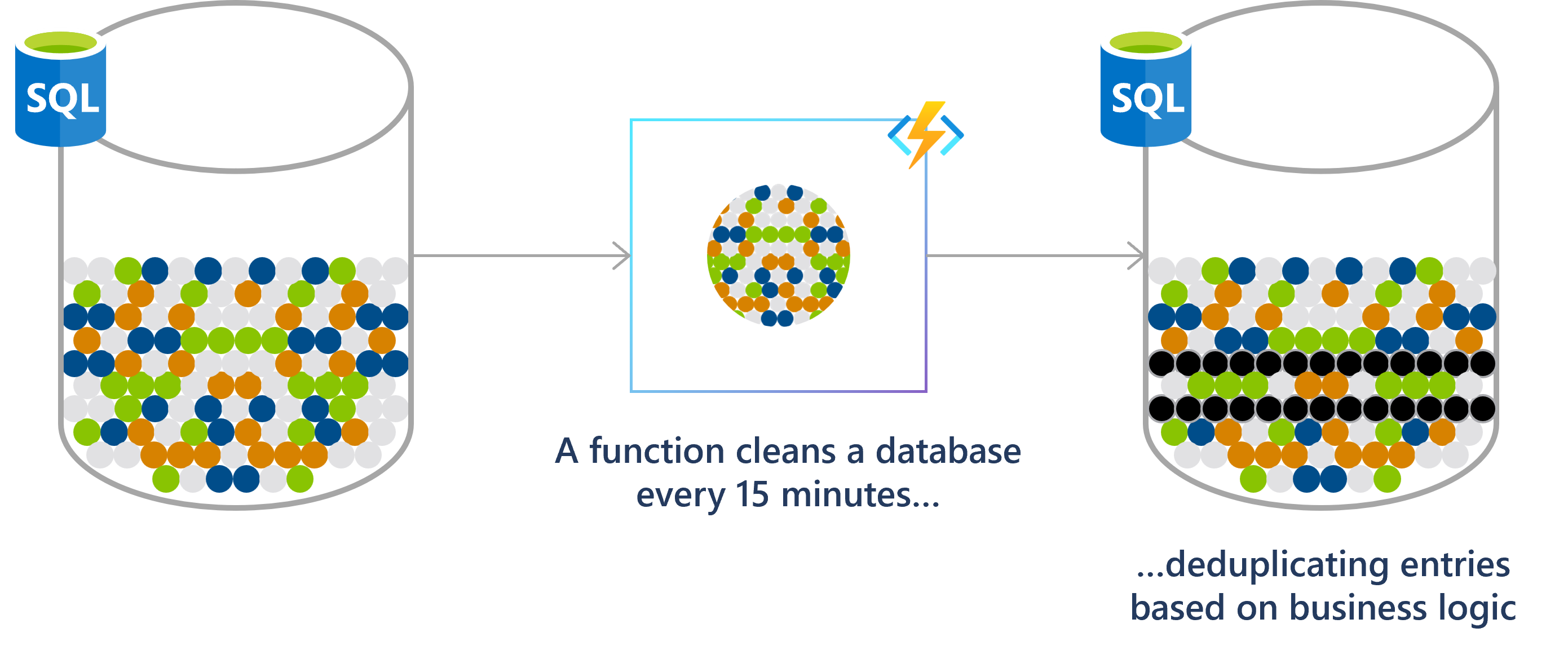
Functions enables you to run your code based on a cron schedule that you define.
Check out how to Create a function in the Azure portal that runs on a schedule.
A financial services customer database, for example, might be analyzed for duplicate entries every 15 minutes to avoid multiple communications going out to the same customer.

Build a scalable web API
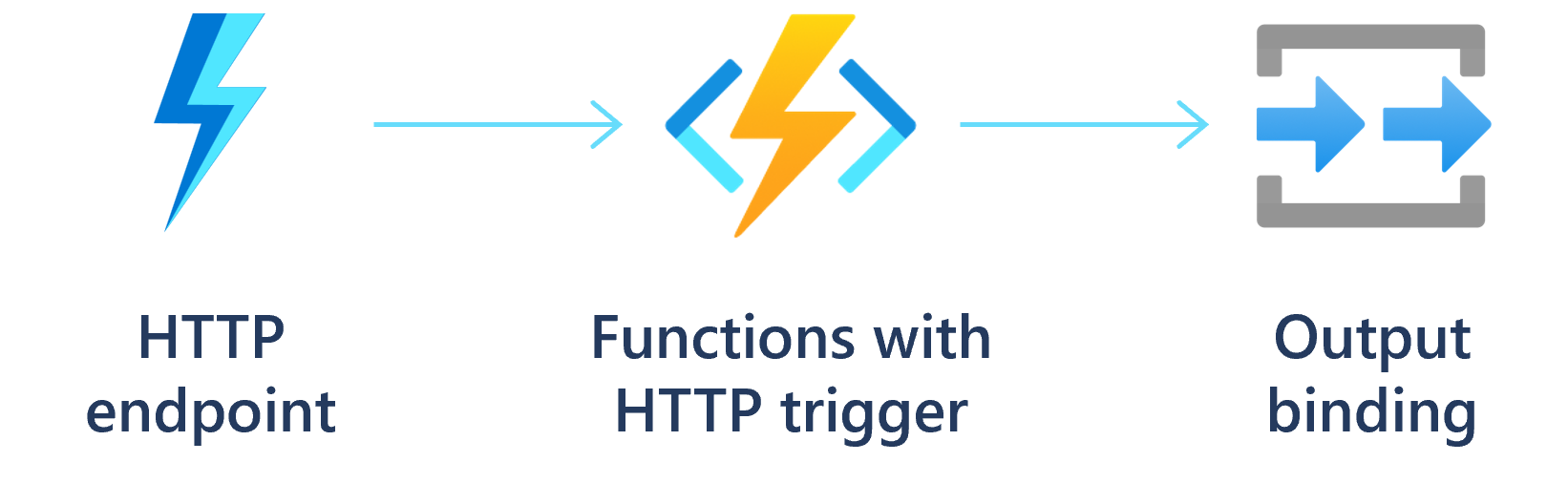
An HTTP triggered function defines an HTTP endpoint. These endpoints run function code that can connect to other services directly or by using binding extensions. You can compose the endpoints into a web-based API.
You can also use an HTTP triggered function endpoint as a webhook integration, such as GitHub webhooks. In this way, you can create functions that process data from GitHub events. To learn more, see Monitor GitHub events by using a webhook with Azure Functions.

Build a serverless workflow
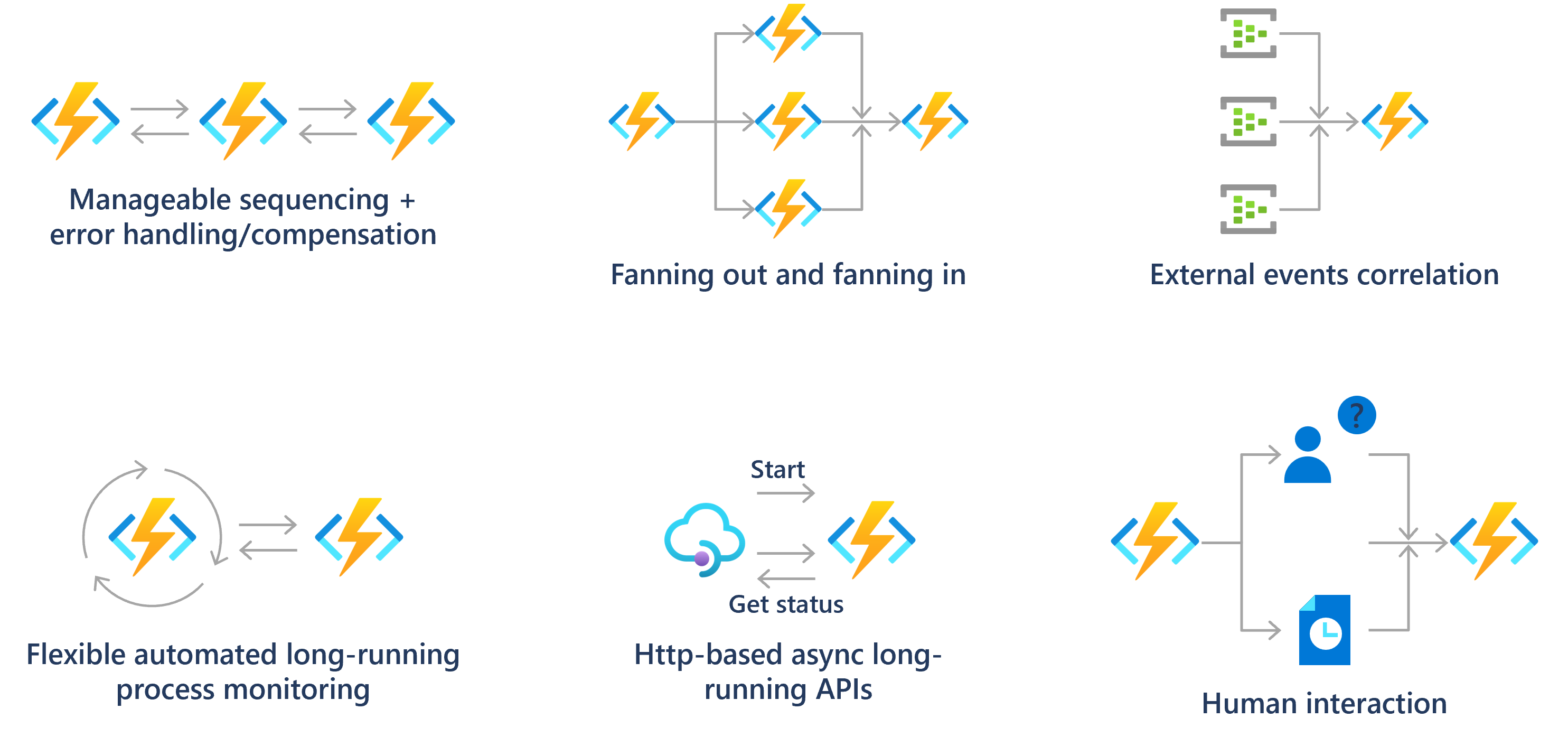
Functions is often the compute component in a serverless workflow topology, such as a Logic Apps workflow. You can also create long-running orchestrations using the Durable Functions extension. For more information, see Durable Functions overview.

Respond to database changes
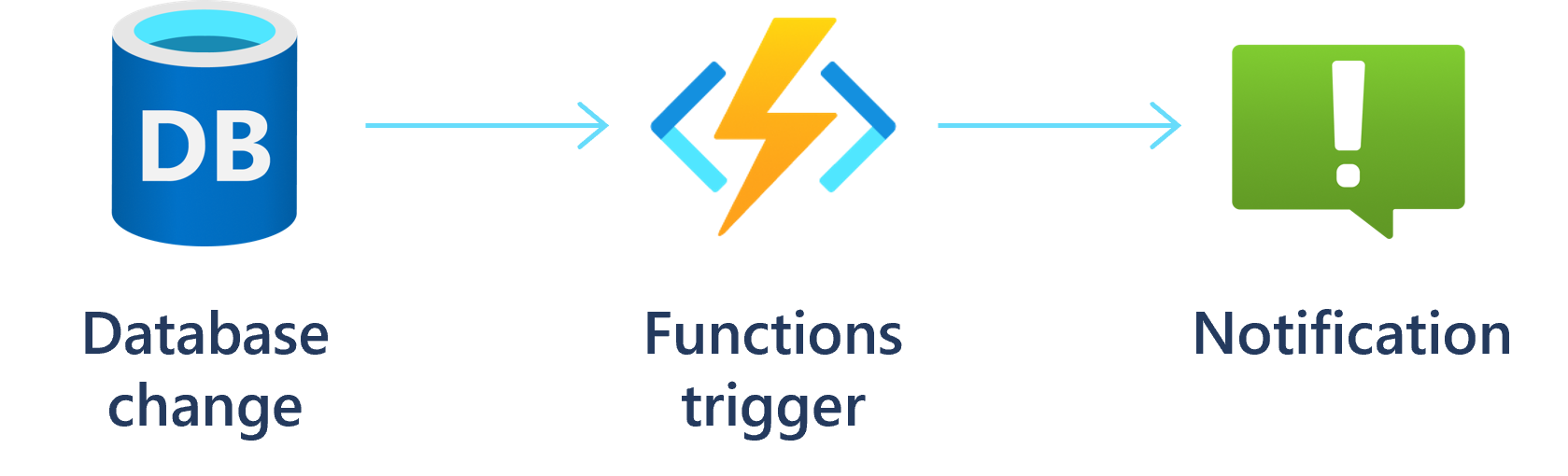
There are processes where you might need to log, audit, or perform some other operation when stored data changes. Functions triggers provide a good way to get notified of data changes to initial such an operation.

Create reliable message systems
You can use Functions with Azure messaging services to create advanced event-driven messaging solutions.
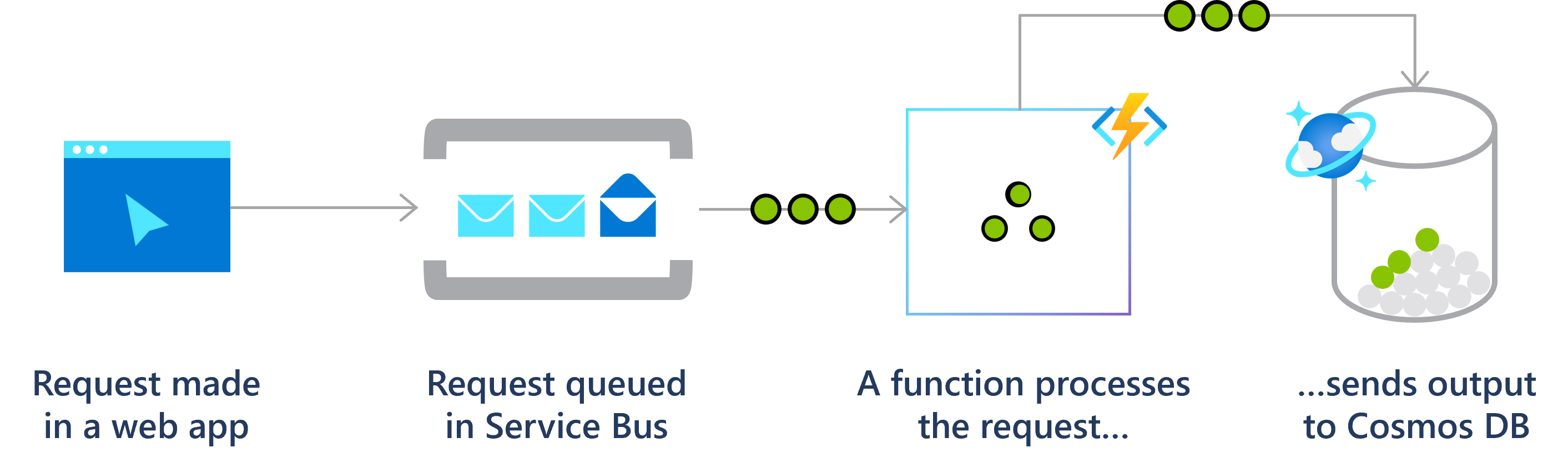
For example, you can use triggers on Azure Storage queues as a way to chain together a series of function executions. Or use service bus queues and triggers for an online ordering system.

Conclusion
Let’s summarize the key points about Azure Functions:
- Overview of Azure Functions:
o Azure Functions is a serverless solution that allows you to write less code, maintain less infrastructure, and save on costs.
o It eliminates the need to worry about deploying and maintaining servers.
o You focus on writing the code that matters most to you, in your preferred language (C#, Java, JavaScript, PowerShell, Python, etc.), while Azure Functions handles the rest.
o It provides a comprehensive set of event-driven triggers and bindings to connect your functions to other services without extra code.
o Scenarios include processing file uploads, real-time data transformation, running scheduled tasks, building web APIs, creating serverless workflows, and more1. - Development Lifecycle:
o Write your function code in your preferred language using tools like Visual Studio, Visual Studio Code, or the command line.
o Functions integrate with Azure Monitor and Azure Application Insights for runtime telemetry and analysis. - Hosting Options:
o Azure Functions offers various hosting options:
Consumption Plan: Fully serverless, pay only for execution time.
Premium Plan: Always warm instances for faster response times. - Creating Your First Function:
o Use one of the supported tools (Visual Studio, Visual Studio Code, or the command line) to create and deploy your first function.
In conclusion, Azure Functions simplifies serverless development, allowing you to focus on code while it handles infrastructure.
Whether you’re building APIs, processing data, or automating tasks, Azure Functions provides a flexible and cost-effective solution for your applications.
References:
Azure Functions Overview | Microsoft Learn
Azure Functions Scenarios | Microsoft Learn
Getting started with Azure Functions | Microsoft Learn